
POS in hospitality is the technology that lets hotels, restaurants, and bars record orders, accept payments, and track outlet sales. As explained in the U.S. Chamber of Commerce's POS guide, these systems combine checkout technology with sales and inventory tracking. When connected to a hotel's property management system, a POS can also support room charges and simplify daily reconciliation.
Quick answer: The best hospitality POS system combines fast ordering, secure payments, useful reporting, and reliable integrations. For hotels with food and beverage outlets, exploring available POS integrations is essential for connecting sales with guest accounts. Payment security also matters, making the PCI DSS security standards an important consideration when evaluating a POS solution.
What Is a POS System in Hospitality?
A hospitality POS system is a combination of software and devices used to manage guest purchases in restaurants, bars, cafés, and other service areas. It records what guests buy, calculates the bill, and stores a transaction record for reporting.
The term point of sale describes where a transaction happens. A point of sale system, also called a point-of-sale system, handles the practical steps around that transaction, including ordering, discounts, tax calculations, and checkout.
Unlike a retail checkout tool, this type of checkout may need to handle tables, menu modifiers, tips, split checks, and charges transferred to a guest room. Those workflows make the system useful across the hospitality industry, not just at the cash register.
What Does a POS System Do During a Typical Shift?
A POS system follows an order from selection to settlement:
- Order entry: A server selects menu items, quantities, and special requests.
- Preparation: The order reaches the bar or kitchen through a printer or connected screen.
- Checkout: The guest pays immediately or, where supported, requests a room charge.
- Reporting: The transaction appears in outlet sales and end-of-shift records.
A well-designed checkout setup can reduce repeated entry, but the exact workflow depends on the features and integrations enabled for the property.
How Do Outlet Sales and PMS Work Together?
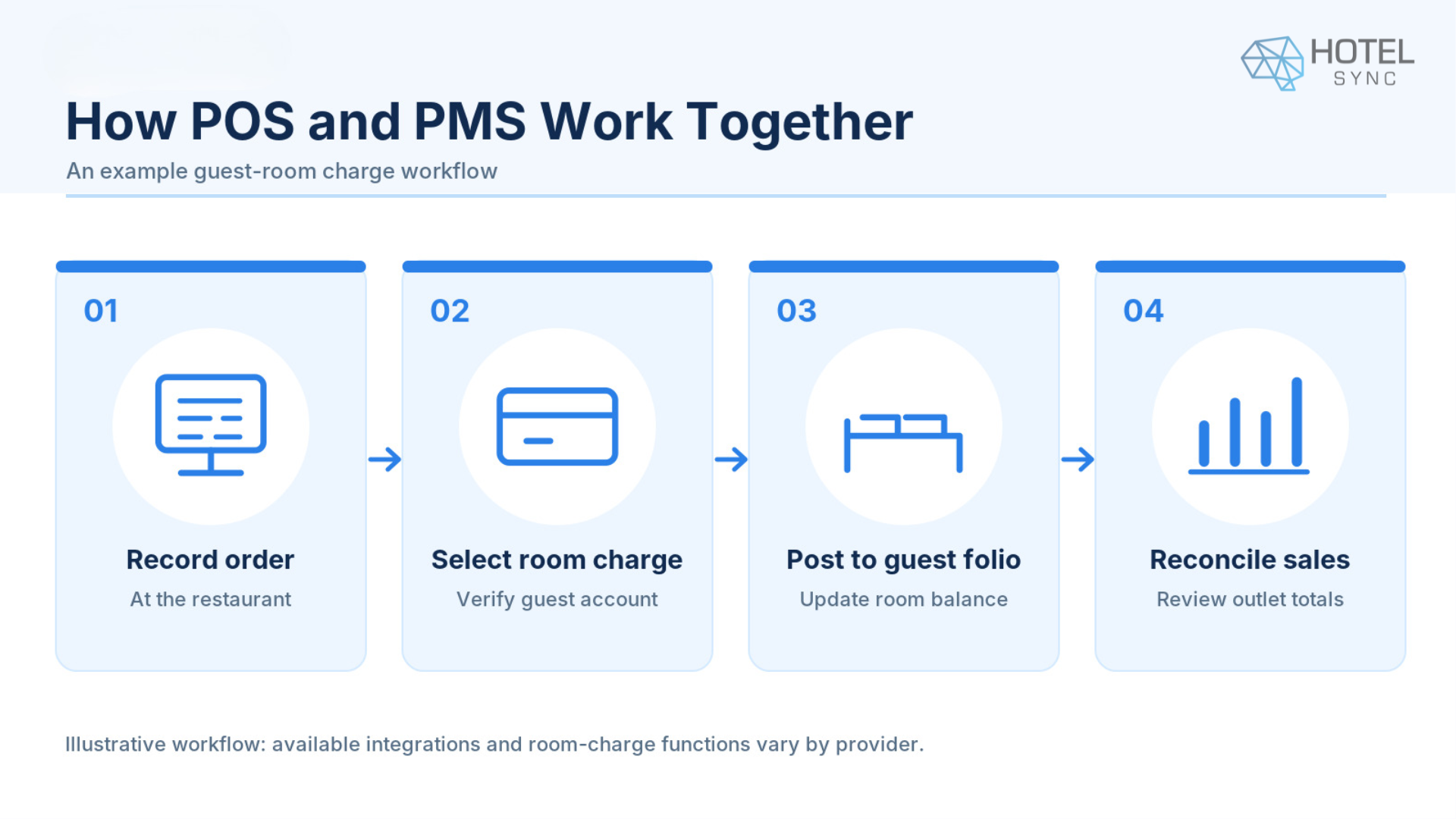
A hotel POS system records purchases at food and beverage outlets, while a property management system (PMS) manages reservations, room assignments, guest profiles, and folios. When the two systems connect, staff may be able to post approved outlet charges directly to a guest's room account.
Example: A Restaurant Bill Charged to a Guest Room
A guest finishes dinner at a hotel restaurant and asks to add the bill to their room. With a properly configured connection, the workflow is straightforward:
- The server prepares the check in the restaurant POS system.
- Staff select the guest's room or reservation and verify the correct account.
- The charge is sent to the hotel PMS and appears on the guest folio.
- The front desk can include the charge in the final checkout bill.
POS and PMS integration does not mean every vendor supports every step. Ask which charges transfer, whether updates happen in real time, and how refunds or failed postings are handled.
PMS and POS also serve different reporting needs: the front desk needs accurate guest balances, while the outlet manager needs sales and service data. Strong system integration helps both teams use consistent records without duplicating work.
What Are the Main Types of POS Systems for Hotels?
Hotel checkout solutions differ mainly in deployment, mobility, and complexity. For properties comparing options, the most useful distinction is whether a solution can support the property's outlets and communicate with other management systems.
Cloud-Connected Checkout
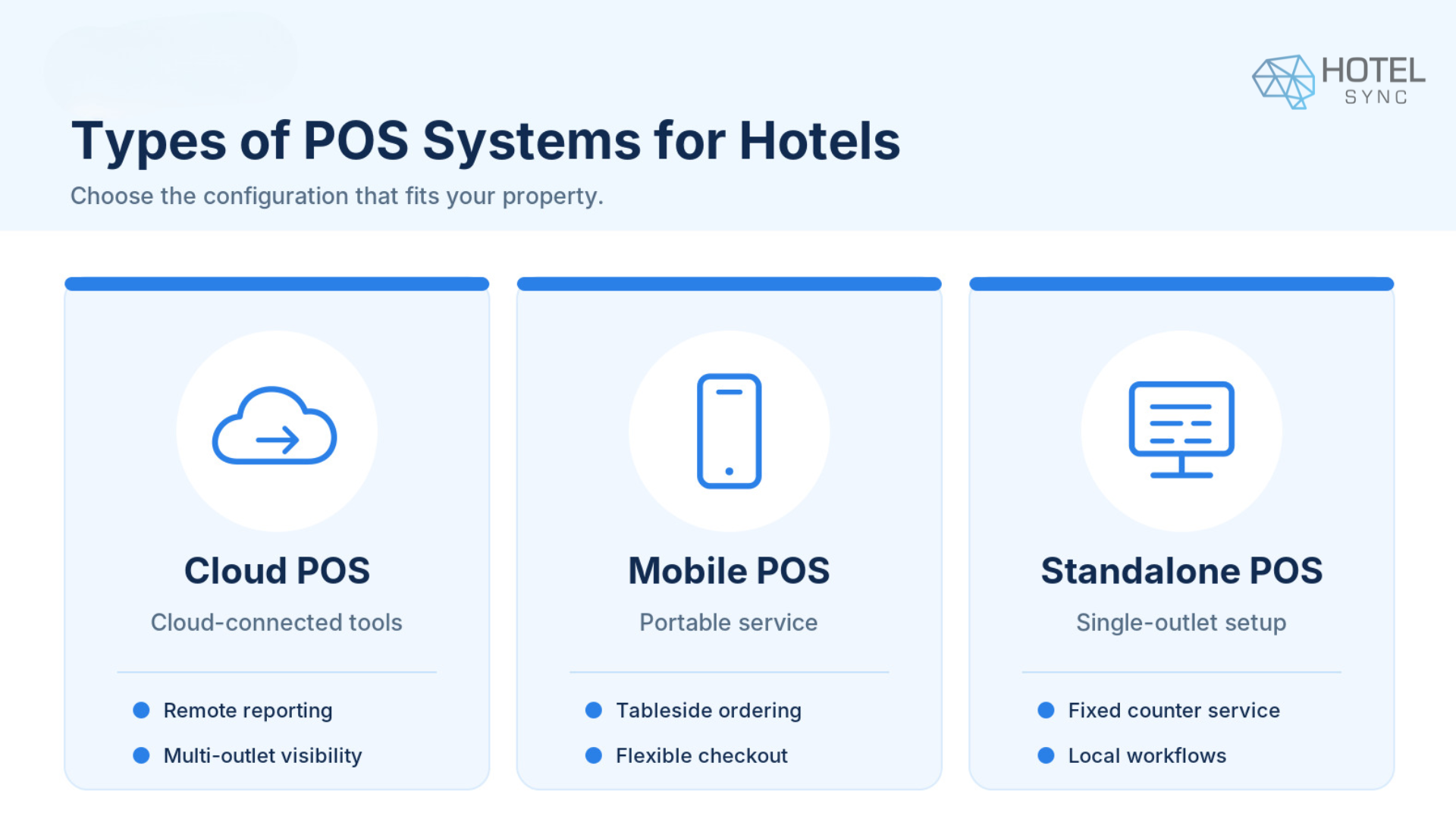
A cloud-based POS system synchronizes sales information through cloud services, making remote reporting and multi-outlet administration possible where supported. A cloud POS can be useful for managers who need visibility beyond a single checkout counter.
Internet reliability still matters. Ask whether orders can continue offline, which functions remain available, and how data syncs when the connection returns.
Portable Ordering and Checkout
Mobile POS systems let staff enter orders or complete checkout on portable devices instead of returning to a fixed counter. Mobile service can be valuable on terraces, at pool bars, and in large dining rooms.
Check device compatibility, battery life, Wi-Fi coverage, and whether the application supports the required payments and receipt methods.
Single-Outlet and Basic Checkout
A standalone POS handles checkout mainly within one outlet. A basic POS may suit a simple café, but room posting, centralized reporting, and connections to other applications may be limited.
Multi-Outlet and Legacy Setups
An enterprise hotel POS is designed for more complex operations, such as multiple outlets, centralized menus, and role-based access. By contrast, legacy POS systems may rely on local servers or older interfaces; some legacy systems remain suitable if they are secure, supported, and properly integrated.
No checkout configuration is best for every property. Many POS platforms look similar in a product demo, so test the workflows your property uses every day.
Which POS Features Matter Most for Hotel Operations?
The most valuable capabilities are those that improve order accuracy, payment flexibility, and visibility across outlets. Hotels should prioritize these capabilities before comparing optional extras.
Ordering, Tables, and a Kitchen Display System
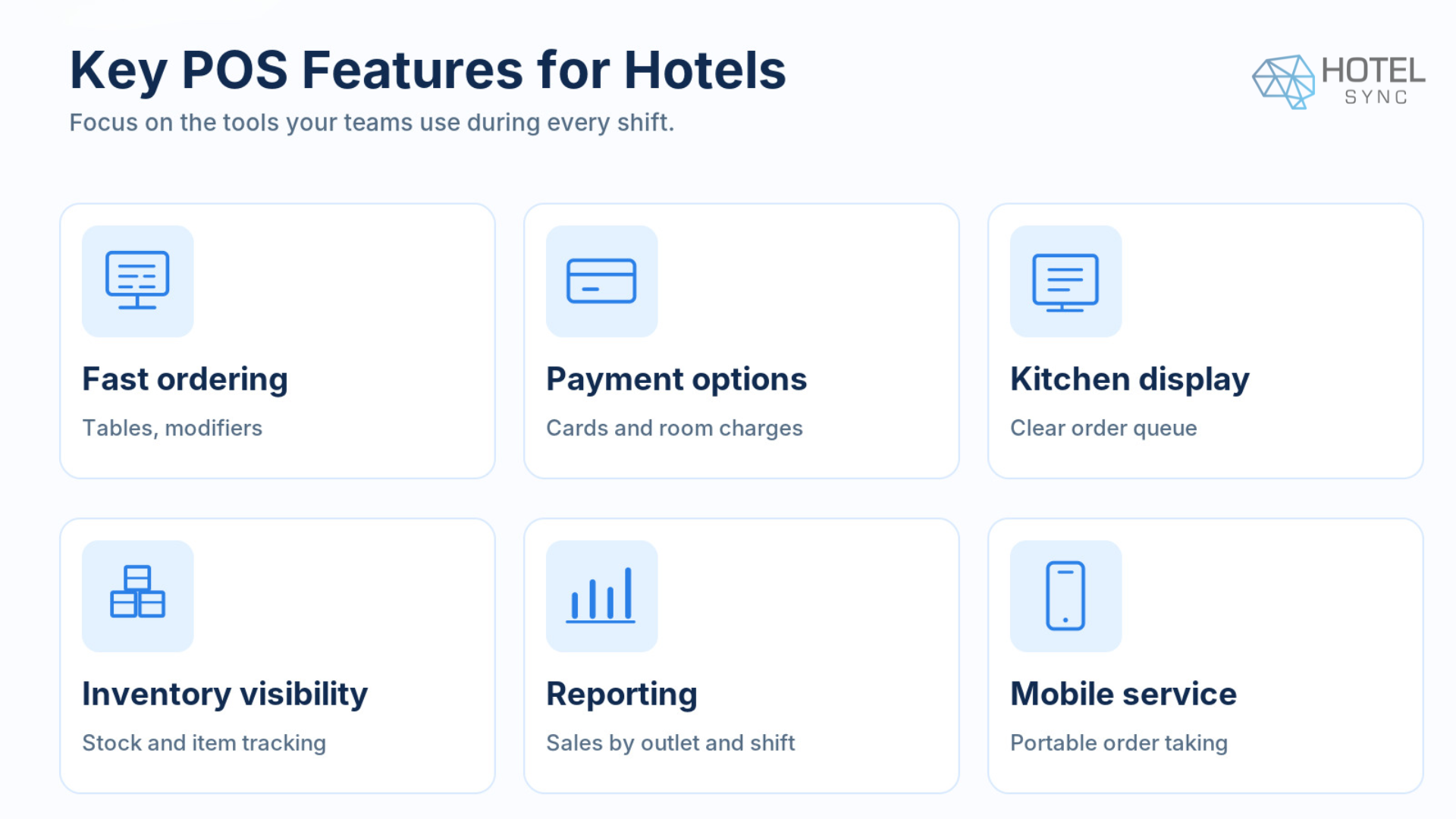
Good ordering tools let staff take orders, add modifiers, split checks, and send instructions to the correct preparation area. For a restaurant POS, table mapping and clear order status are especially useful during peak service.
A kitchen display system (KDS) shows incoming orders on screens rather than relying only on printed tickets. It can help kitchen and service teams track preparation status and reduce missed instructions.
Inventory Management and Menu Control
Inventory management tracks stock movement and can help identify fast-selling items and potential shortages. When linked to recipes and purchasing, inventory management software may also support ingredient-level tracking and cost analysis.
Hotel F&B teams also benefit from menu controls. Check whether teams can update prices, manage availability, and apply the same menu rules to more than one outlet.
Payment Processing and Guest Checkout
Reliable payment processing helps staff complete purchases by the payment methods accepted at the property. Depending on the provider and market, checkout may support cards, cash, room charges, tips, split payments, and a mobile payment option.
Ask how voids, refunds, tax rates, and daily settlement are handled. The payment experience should be easy for guests and auditable for finance teams.
Reporting, Permissions, and Accounting Software
Useful reports should show sales by outlet, product, employee, shift, and payment method. Clear POS data from individual POS transactions makes it easier to investigate discrepancies and identify busy periods without manually combining spreadsheets.
A connection to accounting software can streamline exports, although supported fields and reconciliation rules differ by vendor. Role-based access and audit logs are valuable management features for multi-shift teams.
Devices and Software Compatibility
Typical POS hardware includes tablets, fixed POS terminals, receipt printers, and cash drawers. Some setups also require barcode scanners or customer-facing displays.
Good POS software must work with the devices in your outlets. Before selecting point of sale software, confirm who maintains the hardware and software and what happens if a device fails. Both the software and hardware should suit the outlet, from a lobby café to a busy bar.
What Are the Benefits of POS Systems in Hospitality?
POS systems can improve service speed, reduce manual tasks, clarify sales performance, and make guest billing more consistent. The size of the improvement depends on how a system is configured and how teams use it.
- Faster service: Staff can enter orders and settle checks without repeating the same steps.
- Fewer billing errors: Connected workflows can reduce manual transcription between outlets and reception.
- Better cost awareness: Sales reports and stock information help managers review demand and waste.
- Clearer accountability: Permissions and transaction histories help teams review corrections and refunds.
- More consistent guest experiences: Staff have a clearer view of purchases and payment status.
The benefits of a POS system are greatest when staff receive training and the system fits real service processes. In practice, POS systems allow a hospitality business to standardize routine tasks, not eliminate the need for careful service.
How to Choose the Best POS Systems for Your Property
A well-chosen POS system does not need the longest feature list. It needs to support the property's service style, work with current tools, and remain dependable during busy periods.
Use these seven questions when evaluating a POS provider:
- Does it fit your outlets? A lobby café, a hotel restaurant, and a pool bar may need different service flows.
- Can it connect to guest accounts? Request a demonstration of room-charge posting, corrections, and checkout.
- What happens without internet? Confirm offline availability and recovery procedures.
- Is it easy to train staff? Have a server and a manager complete common tasks during the demo.
- Does it support local payments and tax rules? Verify the applicable market and payment partners.
- Can it grow with the property? Ask about additional outlets, users, and centralized reporting.
- What is included in support? Confirm response channels, hours, migration, and responsibilities.
The right POS system is the one that handles real work reliably. A POS solution should be evaluated by a live workflow, not just screenshots or a feature checklist.
How Much Does a POS Setup Cost?
Total cost includes more than the monthly subscription. Budget for setup, training, devices, optional integrations, support, maintenance, and payment-related charges where applicable.
For a fair comparison, ask each vendor for the same three-year cost breakdown. The cheapest monthly plan may not be the most economical once installation, support, and additional terminals are included.
How Do You Implement a New POS Without Disrupting Service?
A POS rollout is safer when the property tests daily workflows before switching systems. Configure menus, taxes, user permissions, payments, and room-charge rules; then train staff and run a controlled shift.
Assign a team member to review failed postings, reconciliation differences, and support requests. A one-outlet pilot can reveal problems before expanding across the property.
What Security and Compliance Questions Should You Ask?
Payment security is essential because checkout equipment can handle sensitive card information. The PCI Security Standards Council explains that payment terminals and connected environments can fall within the scope of PCI DSS requirements (official guidance).
Ask about access controls, payment-data handling, software updates, backups, and the responsibilities shared with a processor. Do not assume a cloud-based POS is automatically secure or compliant.
Frequently Asked Questions About Hospitality Point of Sale Systems
What Is the Difference Between Outlet Checkout and a PMS?
A hotel POS records purchases made at on-property outlets, while a PMS manages room reservations and guest accounts. An integration can transfer eligible restaurant or bar charges to a guest folio, but the supported workflow depends on the products connected.
Can Restaurant Checkout Work in a Hotel?
Yes. A restaurant POS system can manage orders and bills in an on-property dining outlet. For hotel use, verify room-charge support, tax handling, outlet reporting, and the connection to the property's reservation systems.
Do I Need Checkout Software If I Only Serve Breakfast?
Not always. A simple property may only need a lightweight method to record breakfast charges. A dedicated checkout tool becomes more useful when staff need table service, multiple payment types, detailed reporting, or automatic guest-account posting.
Can Checkout Tools Connect With Finance Tools?
Often, yes. Many products export sales or settlement summaries to accounting software, either directly or through an integration. Confirm which entries move automatically, how taxes are mapped, and whether staff must reconcile exceptions manually.
How Is Food-Service Checkout Different From Retail Checkout?
Food-service checkout tools often support tables, modifiers, tips, split bills, and room charges. Retail checkout usually centers on product scanning and inventory at a counter. The exact differences depend on the product, rather than the label alone.
Are Modern POS Systems Better Than Older Products?
Newer tools can offer easier updates and flexible device options, but age is not a substitute for reliability. Compare support, security, integrations, total cost, and the ability to handle peak service before replacing an existing setup.
Final Thoughts: Choose a System That Connects Service and Guest Accounts
A successful hospitality management setup gives teams accurate sales records, practical ordering tools, and dependable connections between outlets and reception. For hotel operators, a clear end-to-end guest journey matters more than a long list of features.
If you are comparing a dedicated hospitality checkout product with wider management systems, start by testing one real shift from first order to final bill. That is the clearest way to decide which hospitality technology will serve your guests and your team.
 Español
 English
 Deutsch
 Français
 Hrvatski
 Srpski
 Crnogorski
 Italiano
 简体中文
 Magyar
 Português
 Română
 Русский
 Shqip
 Nederlands
 Ελληνικά
 العربية
 Български